After weeks of reading novels or reviewing digital documents, your e-reader is bound to accumulate a layer of dust, natural skin oils, and distracting smudges. While it might be tempting to grab the nearest bottle of household glass cleaner and a paper towel, doing so can cause irreversible damage to your device.
Because electronic paper displays are engineered differently than standard smartphone screens, they require a much gentler approach. If you want to keep your text looking crisp, knowing exactly how to clean e-ink screen surfaces is essential. This guide covers the strict do’s and don’ts of device maintenance to help you remove stubborn marks without destroying your screen’s protective layers.
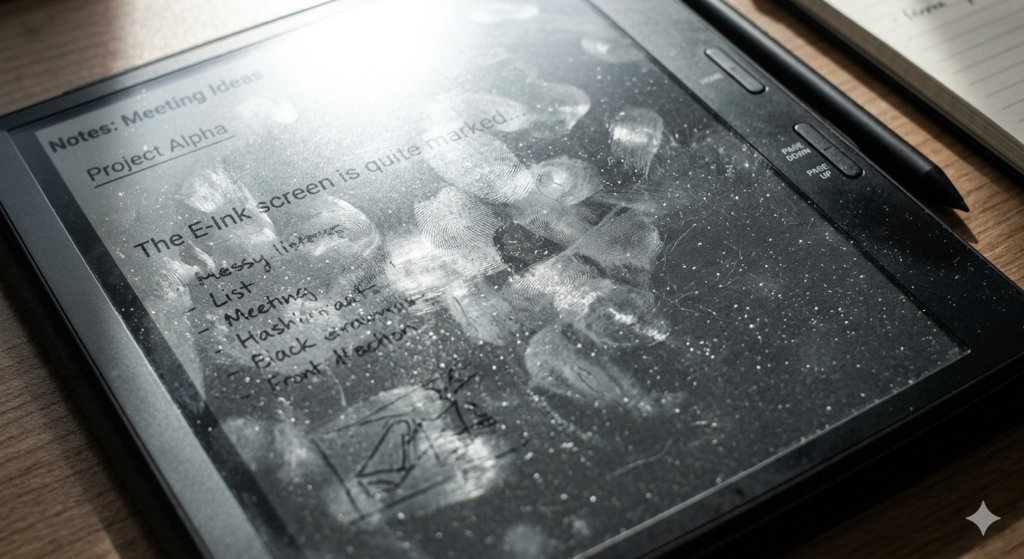
The Anatomy of an E-Ink Surface
Before applying any liquid to your device, you must understand what you are actually touching. You are rarely touching bare glass on an electronic paper tablet.
Knowing how to clean an E-Ink screen safely requires understanding its surface. Unlike standard glossy glass tablets, most E-Ink devices feature a textured, matte layer designed to mimic paper and diffuse glare. Using harsh chemicals can permanently ruin this delicate coating and optical clarity.
Furthermore, many premium devices are treated at the factory to resist the oils from your skin. Proper oleophobic coating care ensures that your screen remains smooth to the touch and resistant to future smudging.
The Do’s: Safe Device Maintenance
Routine device maintenance should be simple and non-abrasive. Follow these steps for the safest cleaning process:
- Turn Off the Screen: Put your device to sleep or turn it off completely. A dark or static blank screen makes it much easier to see where the smudges actually are.
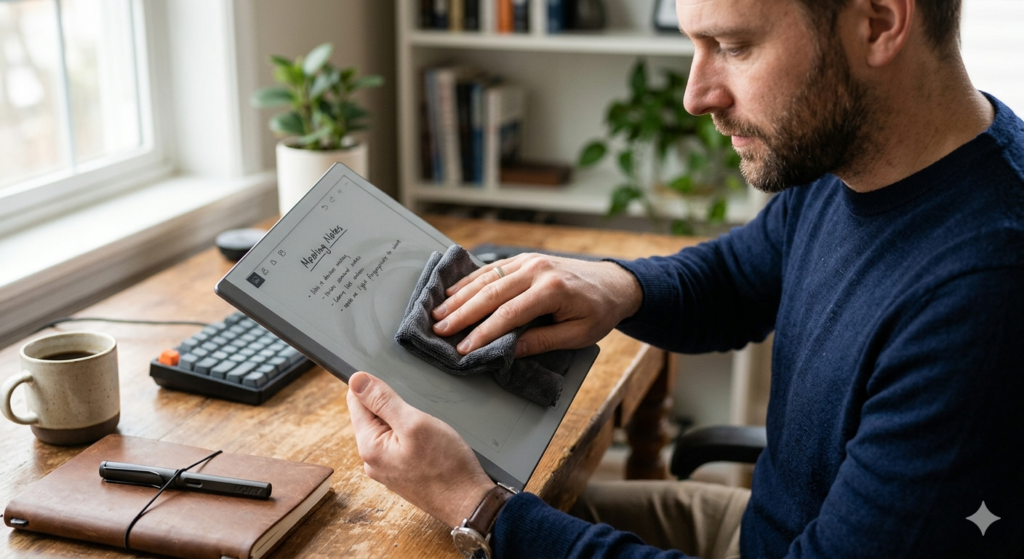
- Use a Dry Microfiber Cloth: For everyday dust and light smudges, a clean, dry microfiber cloth is all you need. Wipe the screen gently in a circular motion.
- Use Distilled Water: If dry wiping is not enough, slightly dampen one corner of the microfiber cloth with distilled water. Gently wipe the stubborn area, then immediately dry it with the dry side of the cloth.
When removing fingerprints, let the microfiber material do the heavy lifting. Pressing down aggressively on an E-Ink screen can actually damage the microcapsules beneath the surface, leading to dead pixels.
The Don’ts: What to Avoid Completely
The internet is full of terrible advice regarding electronics cleaning. To protect your investment, strictly avoid the following:
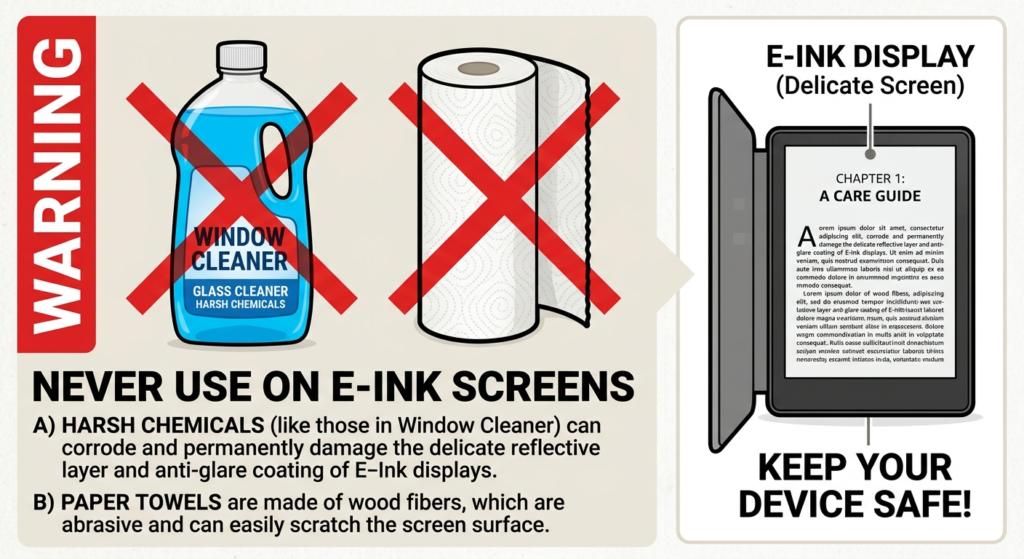
- Never Use Paper Towels: Paper towels, tissues, and napkins are made from wood pulp. They are highly abrasive and will leave permanent micro-scratches on a matte plastic or glass screen.
- Never Use Household Cleaners: Windex, bleach, ammonia, and heavy detergents will instantly strip the anti-glare coating off your screen, leaving it permanently cloudy or excessively glossy in spots.
- Never Spray the Device: Never spray any liquid directly onto the screen. Liquid can easily seep into the bezels and short-circuit the device’s internal motherboard. Always spray the cloth first.
Choosing the Right Screen Cleaning Solution
Sometimes, natural skin oils or accidental food spills require a bit more cleaning power than plain water. In these instances, you must use a specialized screen cleaning solution.
Look for a formula that explicitly states it is free of alcohol and ammonia. Using a dedicated screen cleaning kit that includes a properly formulated, electronics-safe liquid and a specialized cloth ensures you will not inadvertently dissolve your screen’s protective layers.
Taking care of your hardware is a vital part of maintaining a reliable digital workflow. As we highlighted in our foundational guide, How to Go Paperless at Home: The Complete Setup Guide, keeping your digital tools in pristine condition prevents frustration and ensures your paperless system runs smoothly for years.
Conclusion
Understanding how to clean e-ink screen surfaces is primarily an exercise in restraint. The less liquid and pressure you use, the better.
By sticking to clean microfiber cloths, avoiding abrasive paper products, and utilizing only safe, alcohol-free solutions when absolutely necessary, you will preserve the paper-like texture and crisp contrast of your electronic paper device for the entirety of its lifespan.
Frequently Asked Questions (FAQ)
1. Can I use alcohol wipes to disinfect my Kindle or E-Reader?
No. Isopropyl alcohol and standard disinfecting wipes are too harsh for the matte, anti-glare coatings used on most E-Ink screens. Repeated use will strip the oleophobic coating and can cause the plastic layers to become brittle or discolored.
2. Why does my screen look permanently smudged even after cleaning?
If a smudge does not come off with a damp microfiber cloth, you may have already worn away the oleophobic coating in that specific spot due to heavy use or harsh chemicals. Alternatively, it could be a cluster of micro-scratches that are refracting light, which cannot be cleaned away.
3. Is it safe to use a glasses cleaning cloth?
Yes. The small, silky microfiber cloths that come with prescription eyeglasses are excellent for cleaning E-Ink screens. They are specifically designed to clean delicate anti-reflective coatings without scratching.
4. How often should I clean my e-reader?
You should only clean the screen when the dirt or smudges become visually distracting. For most users, a quick dry wipe once a week is more than enough. Over-cleaning increases the risk of accidental scratches.
5. What should I do if water gets into the bezel of my device?
Turn the device off immediately. Do not attempt to charge it. Wipe away any visible surface moisture and let the device sit in a dry, well-ventilated area for at least 24 to 48 hours before attempting to power it back on.