Whether you are working from a home office or a corporate cubicle, your physical environment dictates your mental state. A desk covered in loose papers, tangled cables, and coffee mugs forces your brain to subconsciously process that clutter all day long. This constant low-level processing drains your cognitive energy before you even open a spreadsheet.
If you struggle to maintain focus on complex tasks, the problem might not be your work ethic; it might be your room. Mastering the art of setting up a distraction free workspace is the foundational step toward achieving peak daily output. This guide will explore the principles of environmental design, helping you eliminate physical friction and build an area engineered purely for concentration.
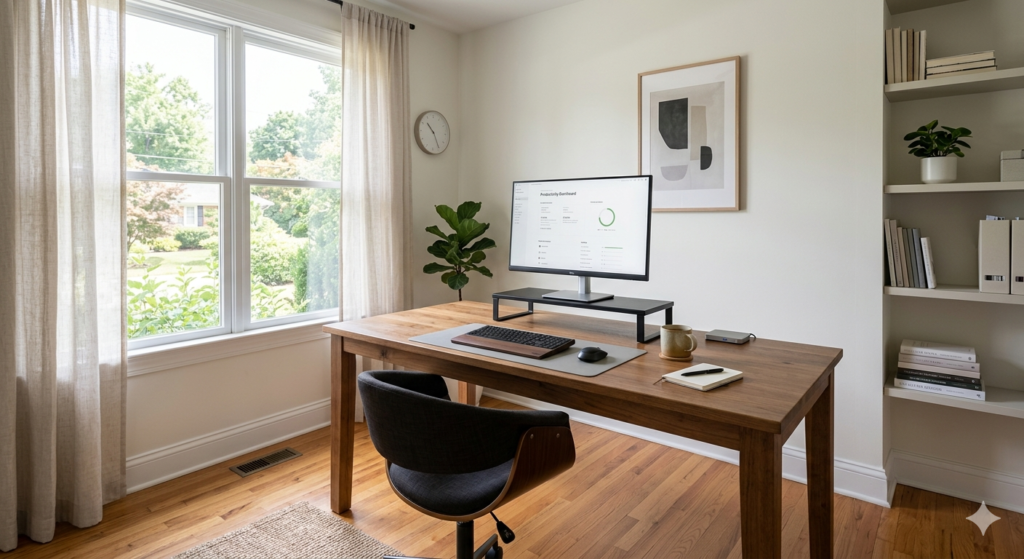
The Core Concept of a Productivity Zone
Before moving furniture, it is vital to understand the psychological goal of your office redesign. You are not just cleaning; you are building a specific psychological trigger.
Setting up a distraction free workspace involves engineering your physical environment to minimize visual noise and interruptions. This creates a dedicated productivity zone where everything has a specific purpose, reducing cognitive load and allowing you to easily enter a state of deep, sustained focus.
When you sit down in this specific chair, at this specific desk, your brain should immediately recognize that it is time to work. This association only happens if the environment remains consistent and uncluttered.
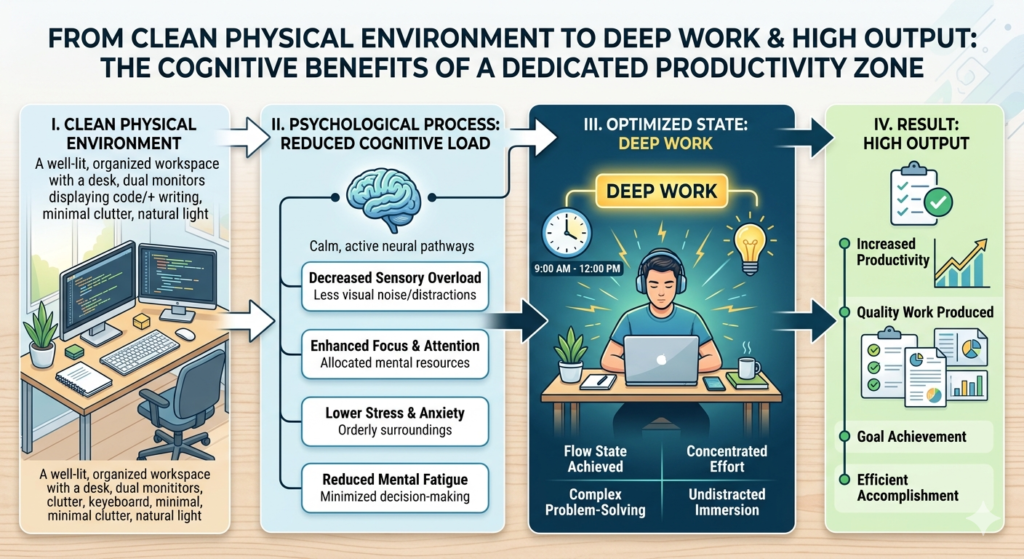
Achieving Visual Quiet with a Minimalist Desk Setup
The term “visual quiet” refers to an environment that does not demand your attention. Every object in your peripheral vision is a potential distraction.
To achieve this, you must adopt a minimalist desk setup. Your desktop should only house the tools required for the immediate task at hand.
- The Essentials: A monitor, keyboard, mouse, and a single notepad or e-reader.
- The Exiles: Cell phones, unopened mail, snacks, and excessive decorative items should be placed in a drawer or another room.
This physical minimalism pairs perfectly with digital minimalism. To truly clear your physical desk, you must transition your loose papers into a digital filing system. For a complete walkthrough on digitizing your physical clutter, refer to our foundational guide on How to Go Paperless at Home: The Complete Setup Guide.
The Role of Ergonomic Lighting
Lighting profoundly impacts your energy levels and focus. Staring at a bright monitor in a dark room causes severe eye strain, while sitting under harsh fluorescent overhead lights can trigger headaches and fatigue.
Proper ergonomic lighting reduces the contrast between your screen and the surrounding room. Position your desk perpendicular to a window if possible, allowing natural light to fill the room without shining directly into your eyes or creating glare on your monitor.
For evening work or darker rooms, layered lighting is essential. Instead of relying on a harsh overhead bulb, use a monitor light bar to cast a warm, directional glow evenly across your keyboard and notepad. This illuminates your immediate work area while keeping the rest of the room comfortably dim, drawing your focus naturally to the task in front of you.

Establishing Physical Boundaries
If you work from home, the boundary between “living space” and “working space” often blurs. This makes it difficult to turn off your brain at the end of the day.
Your productivity zone must have strict boundaries. If you do not have a dedicated office with a door, use visual cues to separate your workspace from your living room. A small rug under your desk or a room divider can serve as a psychological threshold.
Crucially, never use your productivity zone for leisure. Do not eat lunch at your desk, and do not watch movies on your work monitor. By strictly reserving the desk for focused output, you train your brain to snap into work mode the moment you sit down.
Conclusion
Ultimately, setting up a distraction free workspace is an ongoing practice of refinement. It requires a ruthless commitment to keeping non-essential items off your desk and optimizing your lighting for comfort and focus.
By prioritizing visual quiet and establishing strict physical boundaries, you eliminate the micro-distractions that slowly drain your daily energy. The result is a calm, inviting environment that naturally fosters deep work, allowing you to produce your best work in less time.
Frequently Asked Questions (FAQ)
1. Does a standing desk improve focus?
Standing desks are primarily beneficial for physical ergonomics and posture rather than direct mental focus. However, the ability to change physical positions can help alleviate the bodily discomfort that often acts as a secondary distraction during long work sessions.
2. Should I listen to music to block out office noise?
If you are in a noisy environment, using noise-canceling headphones is highly recommended. However, lyric-heavy music can be distracting. Opt for ambient soundscapes, classical music, or white noise to mask background chatter without engaging your brain’s language centers.
3. Are desk plants considered visual clutter?
Generally, no. A single small plant can actually improve a workspace. Studies suggest that incorporating elements of nature (biophilic design) into an office can reduce stress and improve overall cognitive function, provided it does not intrude on your physical working area.
4. What is the best color for a productivity zone?
Neutral, muted colors are best for reducing visual noise. Soft grays, whites, and pale blues or greens are known to promote calmness and focus. Avoid highly saturated reds or yellows, which can cause visual fatigue and mild anxiety over long periods.
5. How do I hide the cables on my minimalist desk?
Cable management is crucial for visual quiet. Use under-desk cable trays to hold power strips, and use velcro ties or neoprene sleeves to bundle wires together. Route cables down the back of the desk legs to keep them completely out of your direct line of sight.