We have all been there: frantically flipping through a physical notebook trying to find that one specific meeting note from three months ago. Or worse, realizing you left your notebook at the office when you need it at home. While the tactile sensation of pen on paper is satisfying, the limitations of analog storage are undeniable in a fast-paced world.
Enter digital note taking. It promises the best of both worlds: the cognitive retention benefits of handwriting combined with the infinite storage and searchability of a computer. But where do you start? This guide will serve as your hub for mastering the art of paperless notes, moving from simple scribbles to a fully synced cloud ecosystem.
What is Digital Note Taking?
At its core, this workflow is about decoupling the information you write from the physical medium it is written on.
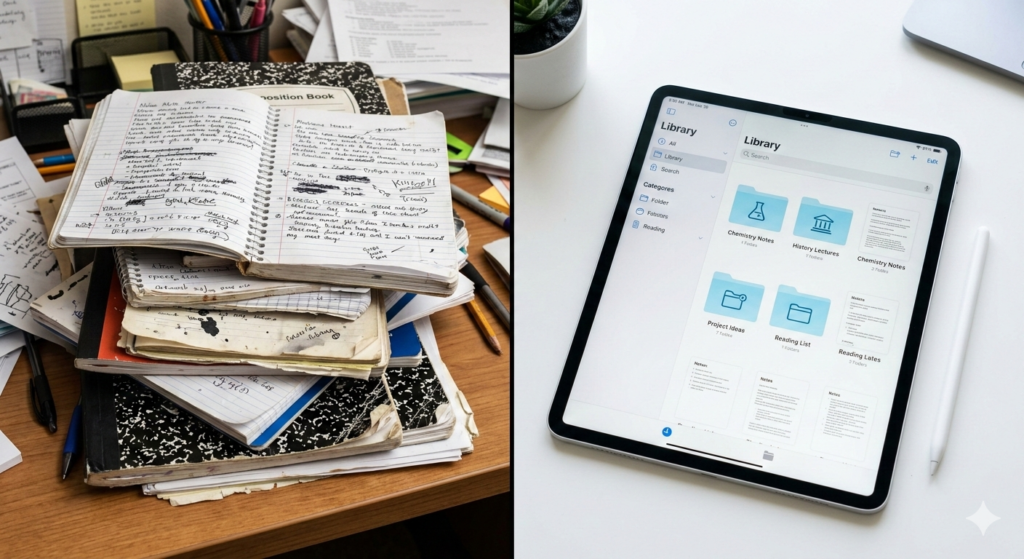
Digital note taking is the practice of capturing, organizing, and storing information using electronic devices rather than physical paper. It combines the cognitive benefits of handwriting with the searchability, cloud syncing, and infinite storage of modern technology.
Unlike typing, which uses a keyboard, modern digital note-taking often utilizes an active stylus to mimic the feel of a pen. This allows for diagrams, mind maps, and freeform thinking that linear typing simply cannot replicate.
The Hardware: Choosing Your Canvas
The first step in your journey is selecting the right device. While you can type notes on a laptop, “smart writing” usually falls into two categories:
1. LCD/OLED Tablets (iPad, Samsung Tab)
These are multimedia powerhouses. They offer vibrant colors, instant responsiveness, and a vast ecosystem of apps. However, writing on glass can feel slippery, and the backlight can cause eye strain during long sessions.
2. E-Ink Tablets (ReMarkable, Boox, Supernote)
These devices use electronic paper technology (as discussed in our What is E-Ink Technology? guide). They offer a distraction-free environment and a textured screen that feels remarkably like real paper. They are perfect for focused thinkers who want to escape email notifications.
The Magic of Handwriting Recognition
The “killer feature” of digital notes is handwriting recognition (OCR). In the past, if you wrote a note by hand, it was just a static image. You couldn’t search for it.
Today, AI-driven software analyzes the strokes of your stylus in real-time. This means you can write a note about “Project Alpha” by hand, and weeks later, type “Project Alpha” into a search bar. The software will instantly pull up the exact page where you wrote those words. This capability alone saves countless hours of manual searching.
Paperless Notes Strategies: Organization
Buying a tablet doesn’t automatically make you organized. You need a system. Here are three popular strategies for managing a digital library:
The Folder Method
This mimics a physical filing cabinet. You create folders for “Work,” “Personal,” and “Study,” and sub-folders for specific projects. It is rigid but easy to understand.
The Tagging Method
Instead of forcing a note into one folder, you apply “tags” (e.g., #meeting, #urgent, #ideas). This allows a single note to appear in multiple searches. It requires discipline but offers superior flexibility.
The “Inbox” Workflow
This is a core tenet of productivity systems like Getting Things Done (GTD).
- Capture: Write everything into a default “Inbox” notebook during the day.
- Process: Once a week, review the Inbox.
- File: Move notes to their permanent folders or delete them if they are no longer needed.
Syncing to the Cloud
The final piece of the puzzle is the cloud. Digital notes should never live on just one device. By syncing your notes to services like Google Drive, Dropbox, or a proprietary cloud, you ensure two things:
- Data Safety: If your tablet breaks, your notes are safe.
- Ubiquity: You can view your handwritten meeting notes on your phone while in a cab, or on your desktop while writing a report.
Conclusion
Digital note taking is not just about buying gadgets; it is about changing how you think. It removes the friction of physical storage and adds the power of digital search. Whether you choose a high-tech iPad or a minimalist E-Ink tablet, the goal remains the same: to capture ideas instantly and retrieve them effortlessly.
As you transition away from paper, remember that the best tool is the one you actually use. Start simple, build a habit, and let the technology handle the heavy lifting of organization.
Frequently Asked Questions (FAQ)
1. Is handwriting better than typing for memory?
Yes. Multiple studies suggest that the complex motor skills required for handwriting engage the brain more deeply than typing. This leads to better conceptual understanding and memory retention, making handwriting superior for students and learners.
2. Can I search my handwritten notes?
Yes, provided your device or app supports Optical Character Recognition (OCR). Apps like GoodNotes, Notability, and devices like the reMarkable and Onyx Boox have strong search capabilities for cursive and print script.
3. Do I need an expensive tablet to start?
Not necessarily. You can start with a basic stylus and a smartphone, though the screen size will be limiting. For a serious workflow, an entry-level iPad or a dedicated E-Ink notepad is a worthwhile investment.
4. How do I back up my digital notes?
Most apps have an “Auto-Backup” feature. You should enable this immediately to send a PDF copy of all your notes to a cloud service like Google Drive or OneDrive. This ensures you are not locked into one specific app ecosystem.
5. Does writing on glass feel weird?
It can feel “slippery” at first because there is no friction. Many users apply a “paper-like” screen protector (a matte film) to their tablet to add texture and resistance, mimicking the feel of a pencil on paper.